How do I update my payment information?
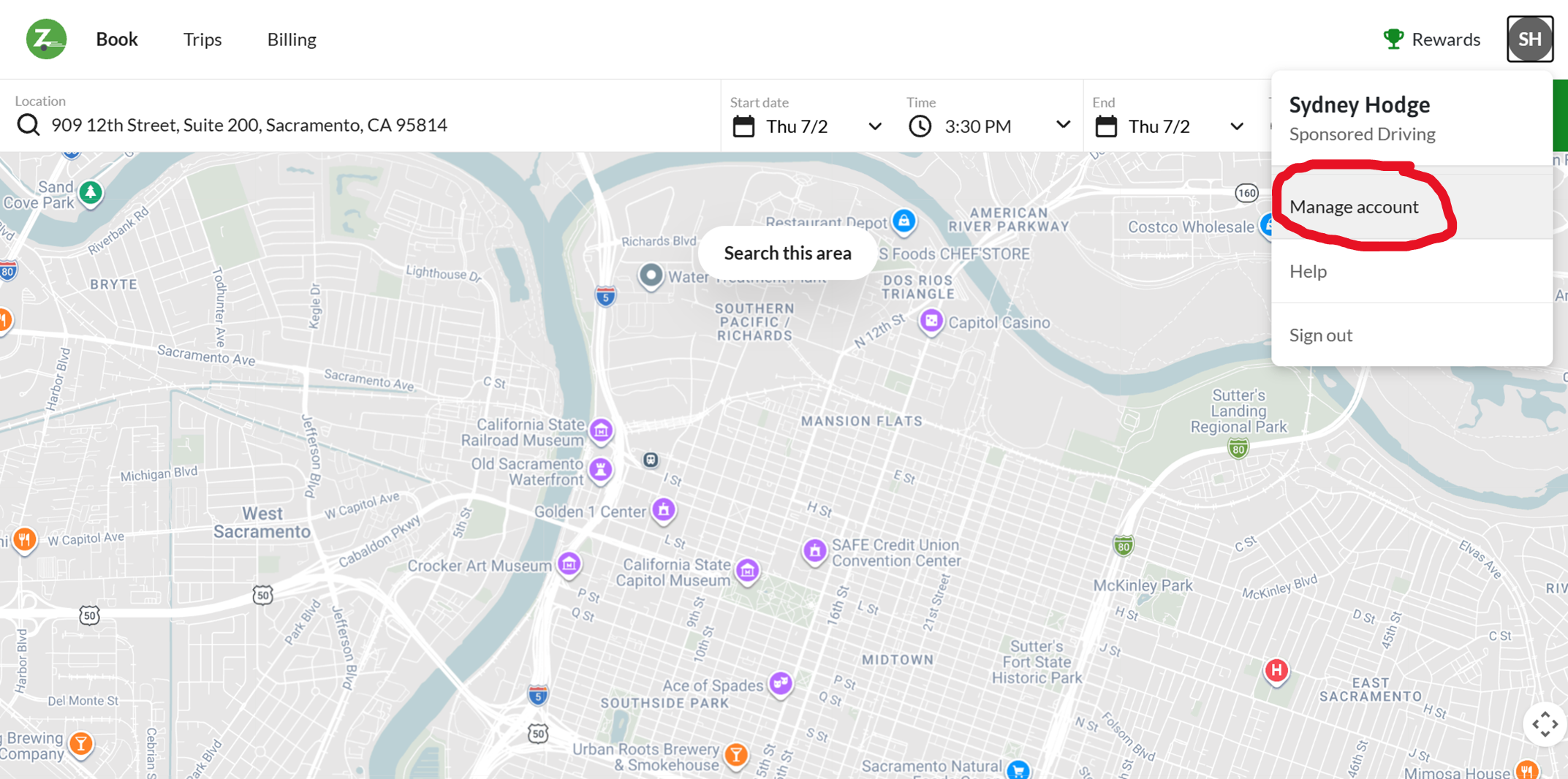
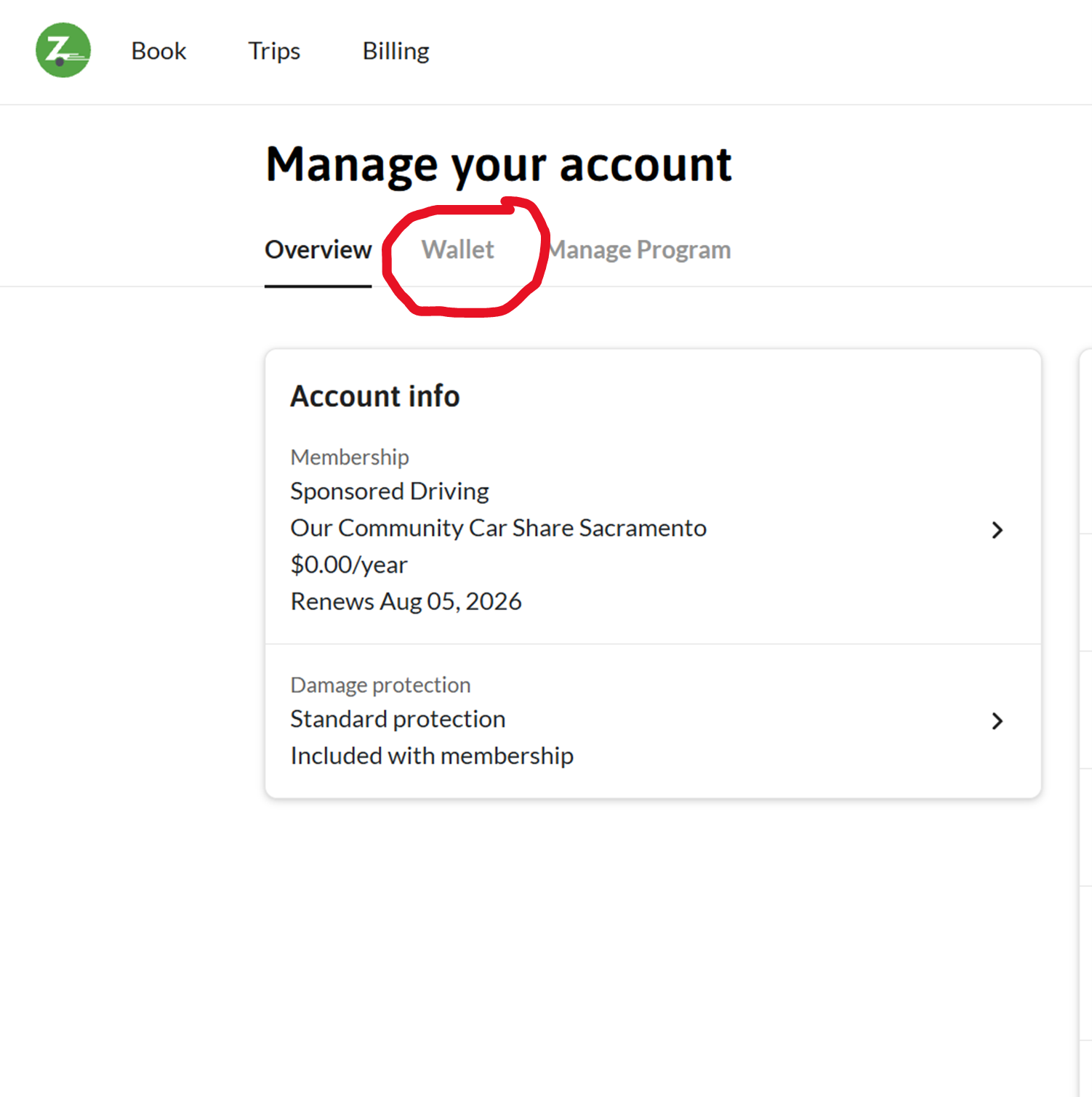
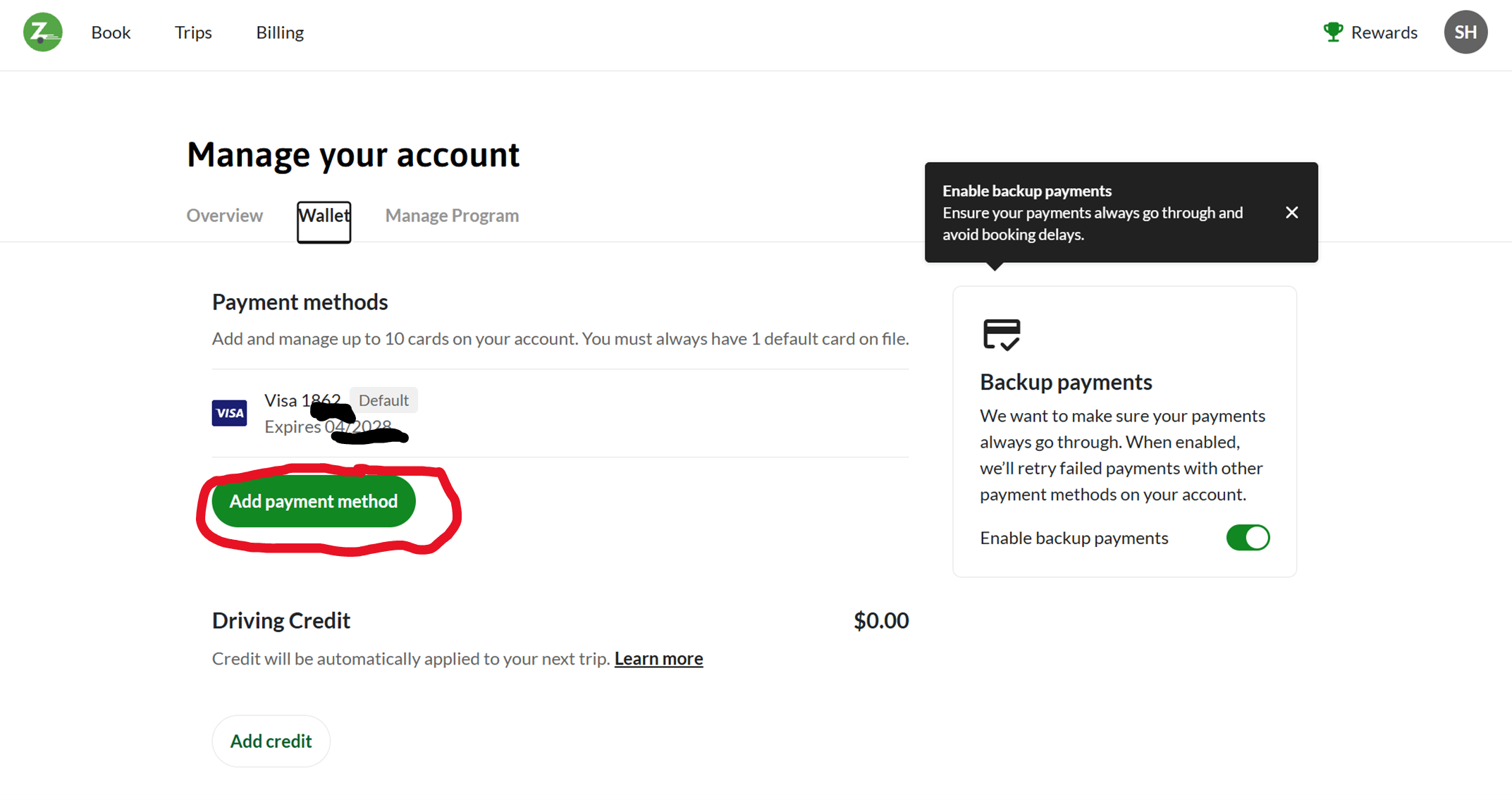
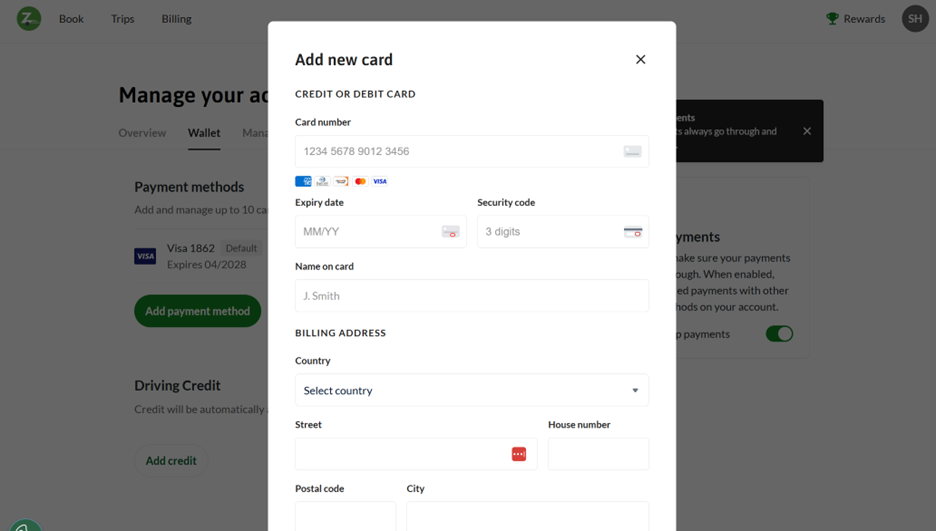
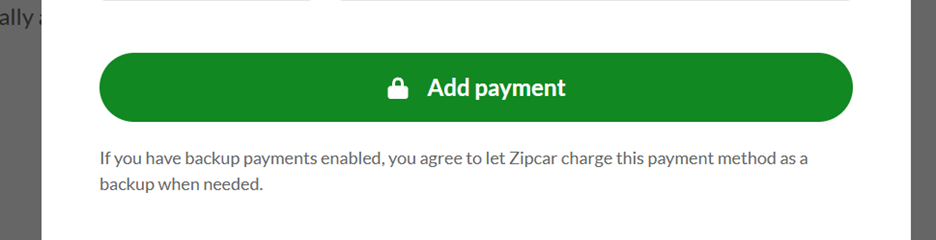
Log into your Zipcar account on the app or website, go to your account profile icon (top right on website and select “Manage Account”, bottom right in app), select “Wallet”, the click “add payment method”, and proceed with adding your new payment method. See Changing/Canceling Your for extending your trip.
Then click on your previous payment method, and select “remove”, confirm. Your new payment method should now be the default payment method.
I did not receive my first 8 hours for free.
Contact OCCS by email at info@ourcarshare.org - we will add this for you!
What to do if I was charged a late fee?
With the Cost-Share model, members may be charged late fees (up to $50) if they return a vehicle late. Late charges can only be refunded on a case-by-case basis. Please contact OCCS staff for questions on late charges.
There is an issue with my account.
Contact OCCS by email at info@ourcarshare.org