How do I reserve a Zipcar through the Mobile App?
English, Español, Tiếng Việt, 中文
How do I reserve a Zipcar Online?
English, Español, Tiếng Việt, 中文
How do I cancel or edit a trip?
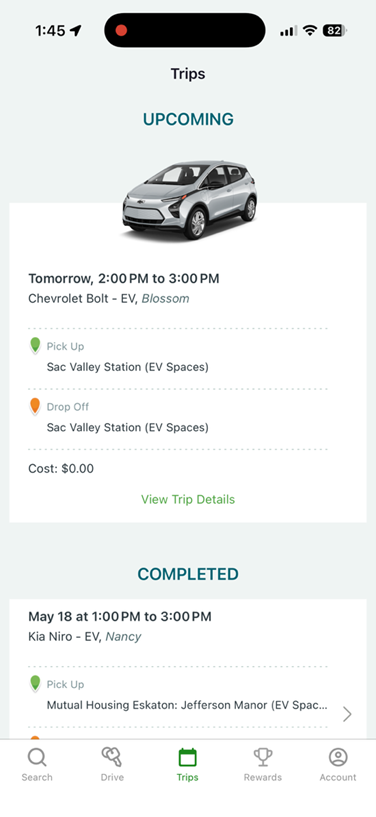
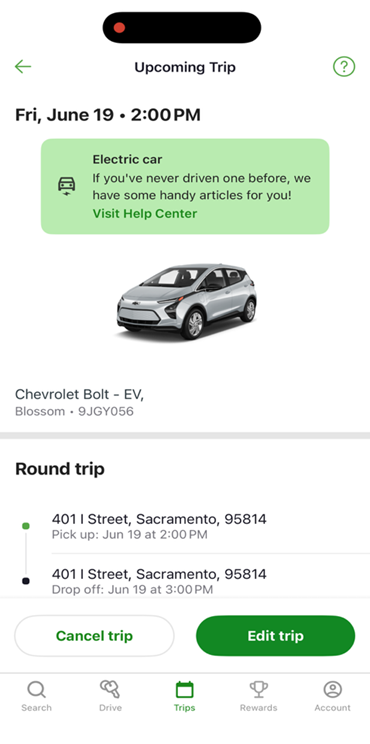
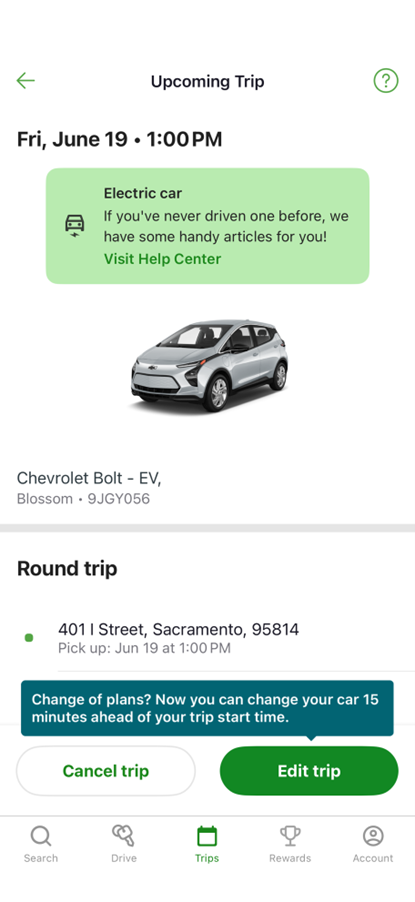
In the Zipcar app, there will be 5 tabs along the bottom of the screen. Select the “Trips” tab to view your upcoming and previous reservations. Once there, click “View Trip Details” on the upcoming trip you’d like to edit or cancel. You will have options to Cancel trip” or “Edit trip” located at the bottom of the screen.
Select the appropriate option for the action you’d take (cancel or edit)
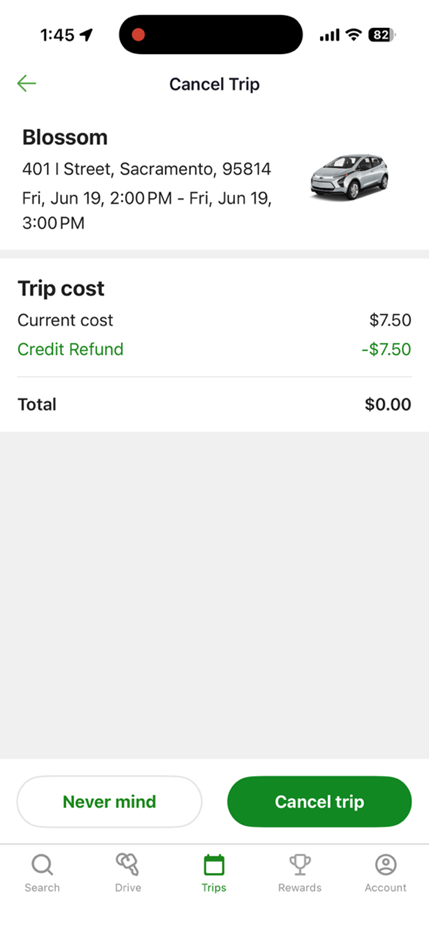
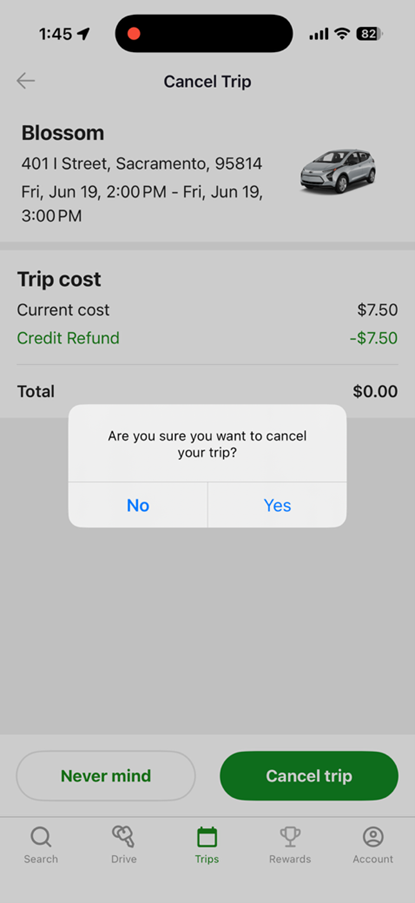
You will be led to a Cancel Trip screen with details of your reservation, and options to select “Never mind” or “Cancel trip”, select “Cancel trip”. A pop-up menu will appear to confirm your cancellation, select “Yes”.
You will be taken back to the Trips tab, where you should see that your cancelled reservation is no longer available.
If you have difficulties cancelling your trip, please call Zipcar member services at 866-494-7227
How do I know if I am reserving an OCCS Zipcar?
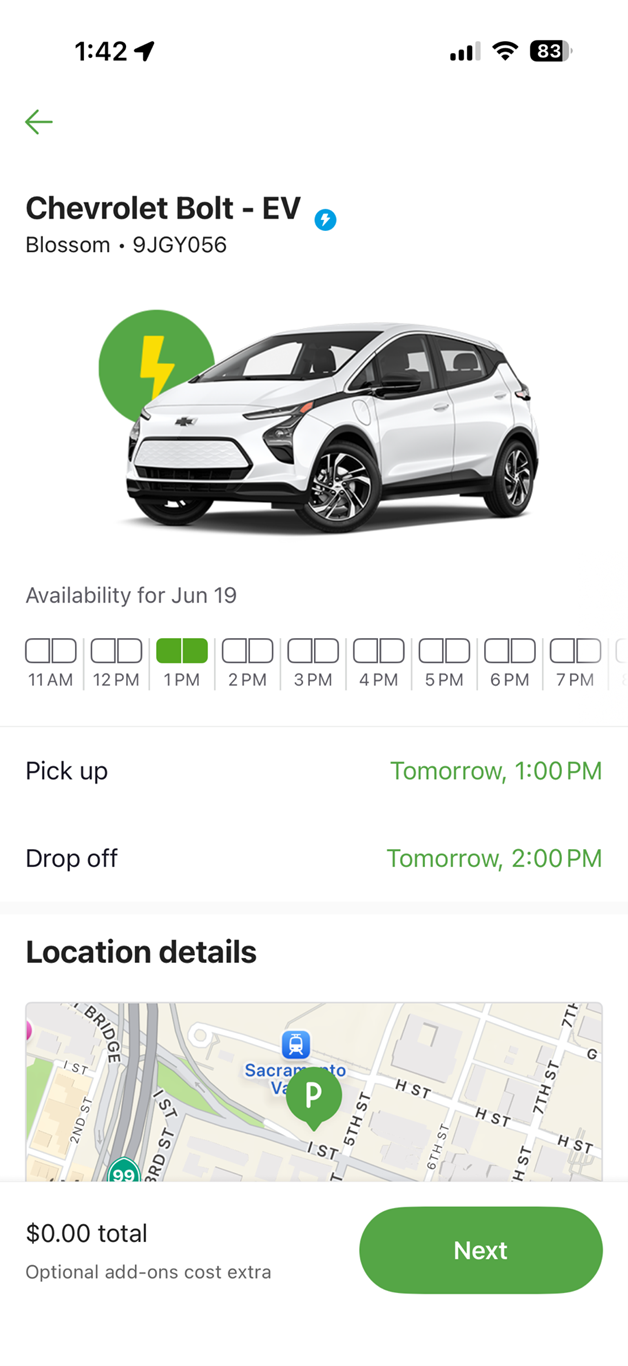
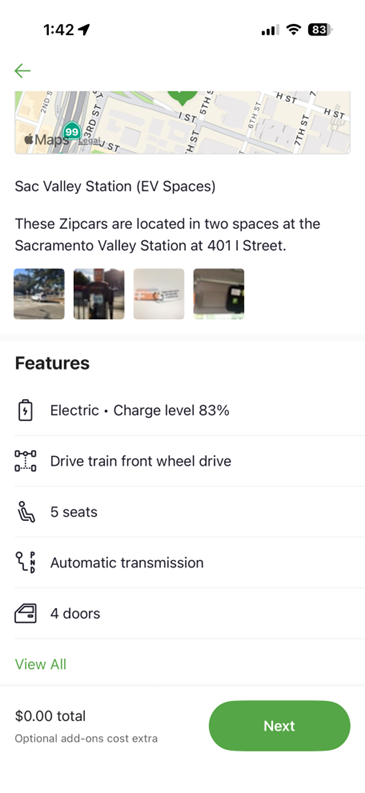
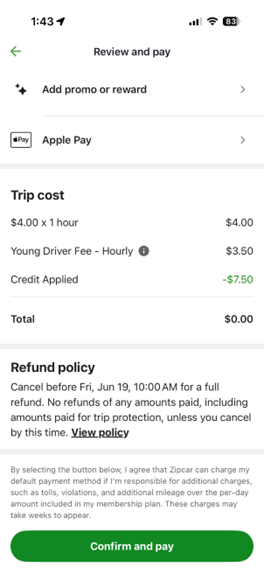
As a member of OCCS, your Zipcar account will show standard Zipcar vehicles and OCCS-affiliated vehicles. Please see a list of locations using our interactive Google map to find the location nearest to you. Once you have done so, search the address in the search bar of your Zipcar app or website. The cost of a vehicle will be $4.00 per hour (plus taxes and fees). There will also be a specific name associated with each car, such as "Banjo" or "Seahorse." After you reserve the car, a confirmation will pop up. A list will pop up with your reservation date and times, the location, the price (if reserving an OCCS Zipcar, there will be a $4.00 per hour cost), and the vehicle license and name will be provided.
Can I reserve a Zipcar that is not in the OCCS program with my membership?
Yes. Standard Zipcar rates ($11-$18/hr) apply.
I’m running late to return the vehicle, what should I do?
Returning the vehicle on time keeps OCCS running smoothly. If you are running late, please log into your Zipcar app, click on the Drive tab, and select the Extend reservation icon. You will need to select the amount of time you’d like to add, then select “Confirm and Pay.” You can call Zipcar member services to extend your reservation. PLEASE NOTE: If there is a reservation after you, you may not be able to extend your reservation.